
Submit a new Expert Search via your Homepage, the Expert Search Index page, or an existing matter. You can also use the blue “Start New” button to kick off your engagement from anywhere in Expert iQ!
Use the radio buttons to create a new Matter along with your Expert Search request, or to add to an existing Matter. When you add to a Matter, your summary and details automatically populate, so you save time re-entering information.
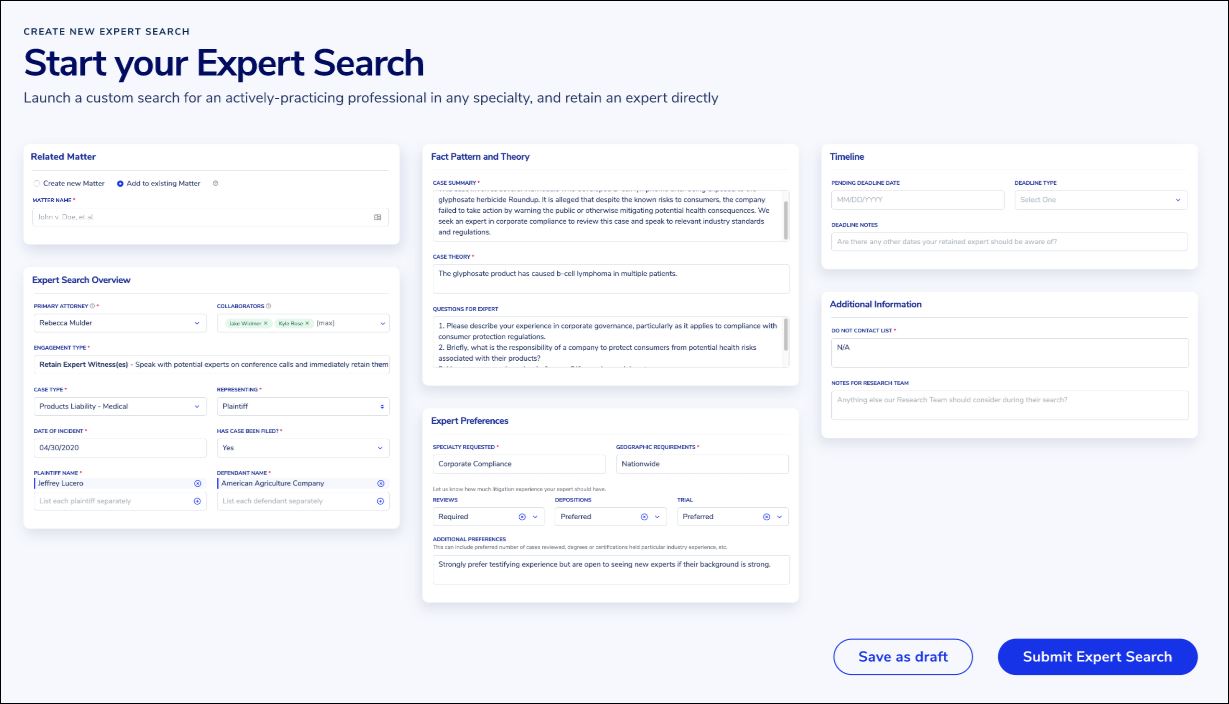
Use the Save as Draft button to save your work and submit your Expert Search request at a later time.
Fill out all fields on the intake form as completely as possible. The more information we have about your Expert Search, the better we can focus our outreach and recruit the best expert for your needs.
Once you submit your request, our team will get to work. We will be in touch if we need any additional clarifying details.