
Submit a new Medical Record Review via your Dashboard, the Medical Record Review index page, or an existing matter.
Use the radio buttons to create a new Matter along with your Medical Record Review, or to add to an existing Matter. When you add to a Matter, your summary and details automatically populate, so you save time re-entering information.
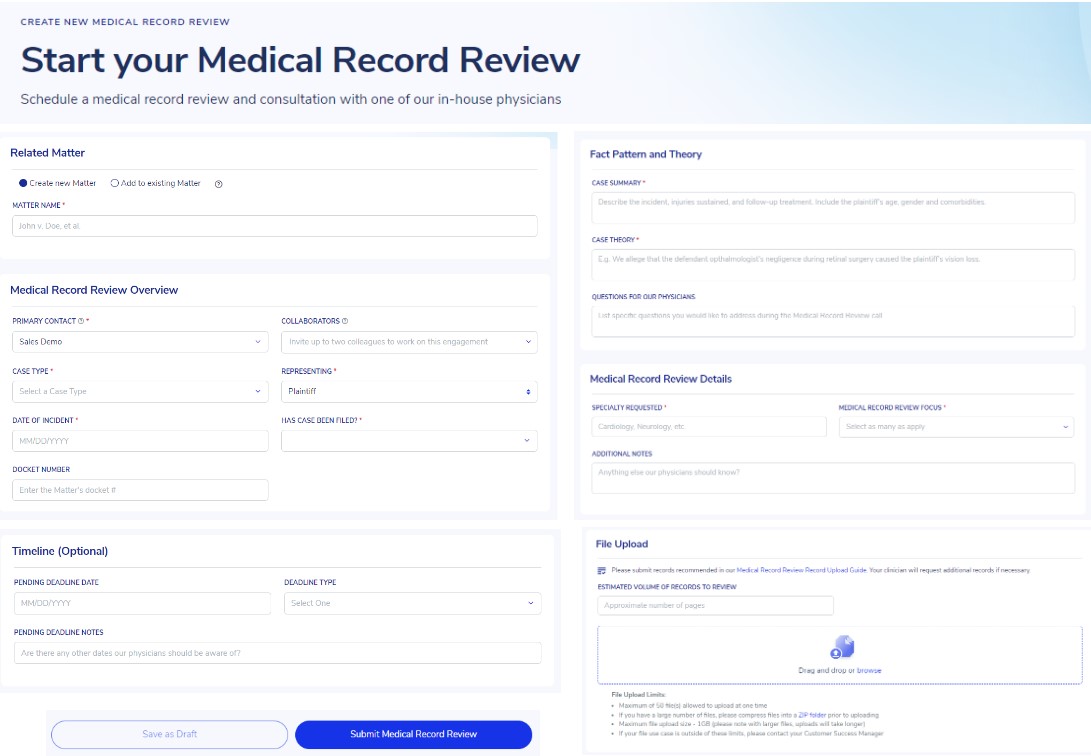
Use the Save as Draft button to save your work and submit your Medical Record Review at a later time.
Fill out all fields on the intake form as completely as possible, and visit our Medical Record Review Record Upload Guide to review our recommended records list. If you have a large number of files, please compress files into a ZIP folder prior to uploading.
Once you submit your request, our team will get to work. Your Customer Success Manager will be in touch if we need any additional clarifying details.