
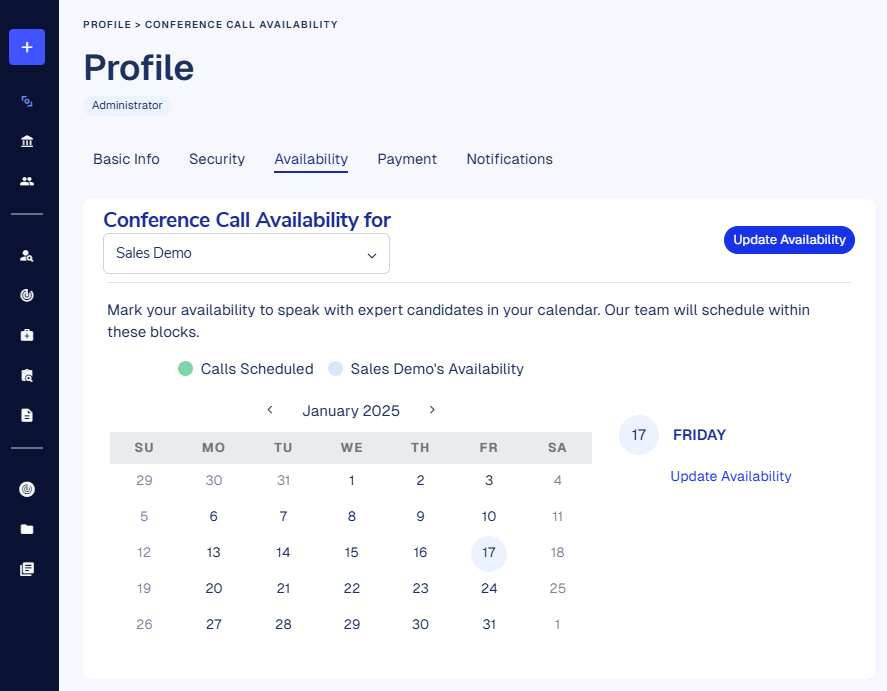
Select the Availability tab on your profile page to access your personal scheduling calendar. Mark your availability to speak with expert candidates in your calendar.
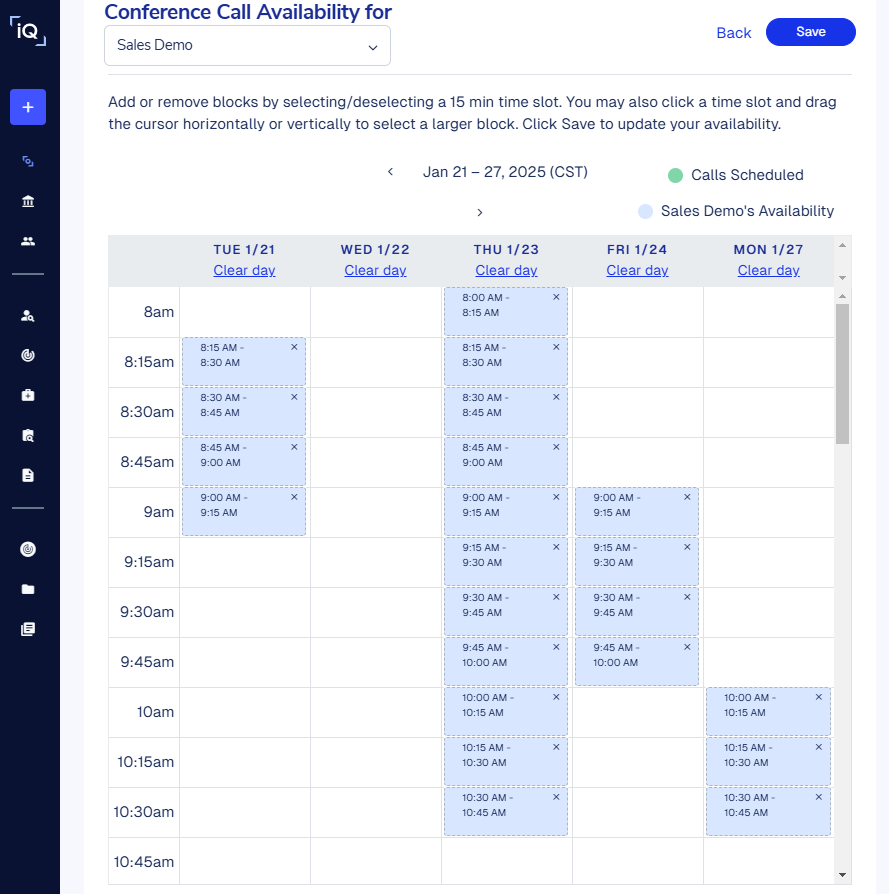
Click Update Availability and add or remove blocks by selecting/deselecting 15-minute time slots. You may also click a time slot and drag the cursor horizontally or vertically to select a larger block. Click Save to update your availability.
Please note that conference call availability is not Engagement-specific. Experts you’ve actively requested to speak with will select a time to connect based on this availability.
Each time you request to speak with a shared expert, you’ll be prompted to review and confirm your conference call availability.