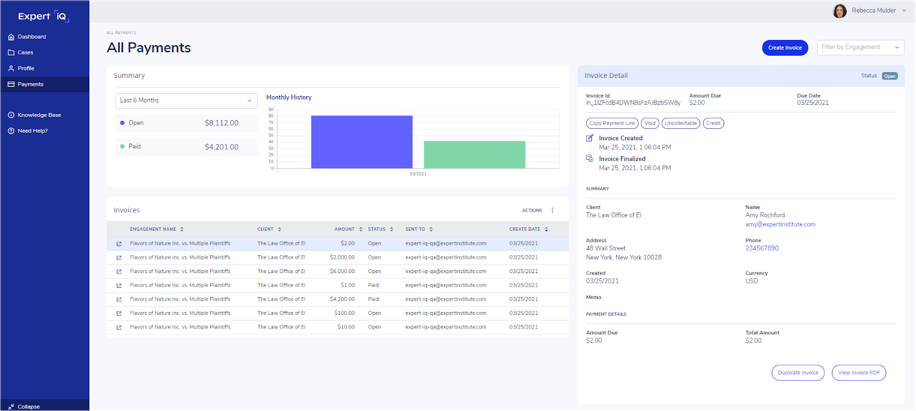
Your Payments dashboard contains a summary of your open and paid invoices across all engagements, customizable within a selected date range.
View a detailed log of your Invoices and related Payments, and export this data to your favorite spreadsheet tool.
Select any invoice to:
- View details
- Copy the payment link
- Download the invoice PDF
- Clone to a new invoice
- Manually change invoice status: If you are paid through an offline method such as a check, you may need to mark a Stripe invoice as paid manually. Please navigate to the relevant invoice, click the “Actions” drop-down, and change the invoice status to paid.
- Void or credit the invoice: Navigate to the “Payments” tab on the left-hand navigation column. From there, scroll to “Invoices” and select which to delete. From the Invoice Detail page, select “Actions” on the right-hand side and a drop-down menu will appear to select “Change Invoice Status.